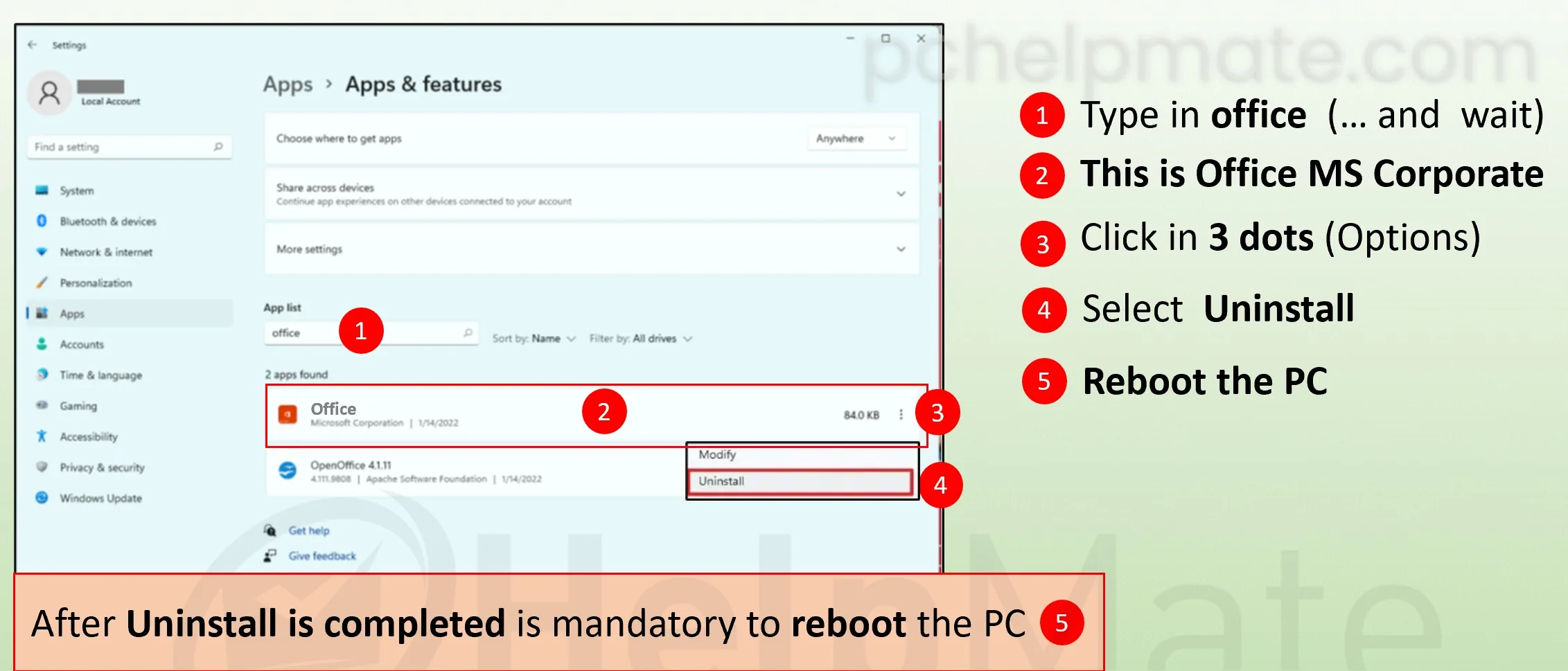
office guide / uninstall office 365
Uninstall Office 365
Before installing a new MS Office, check whether you have Microsoft 365 installed at the factory. It may cause problems during installation.
Most new laptops ship with a Microsoft 365 trial preinstalled. It registers itself as the handler for Word, Excel and PowerPoint files, so a copy of Office you install afterwards can end up sharing those file associations, and its expired trial licence is a common reason a perfectly good product key refuses to activate. Removing it takes a minute and leaves your documents untouched, since uninstalling the apps never deletes the files they open.
Which operating system do you use?
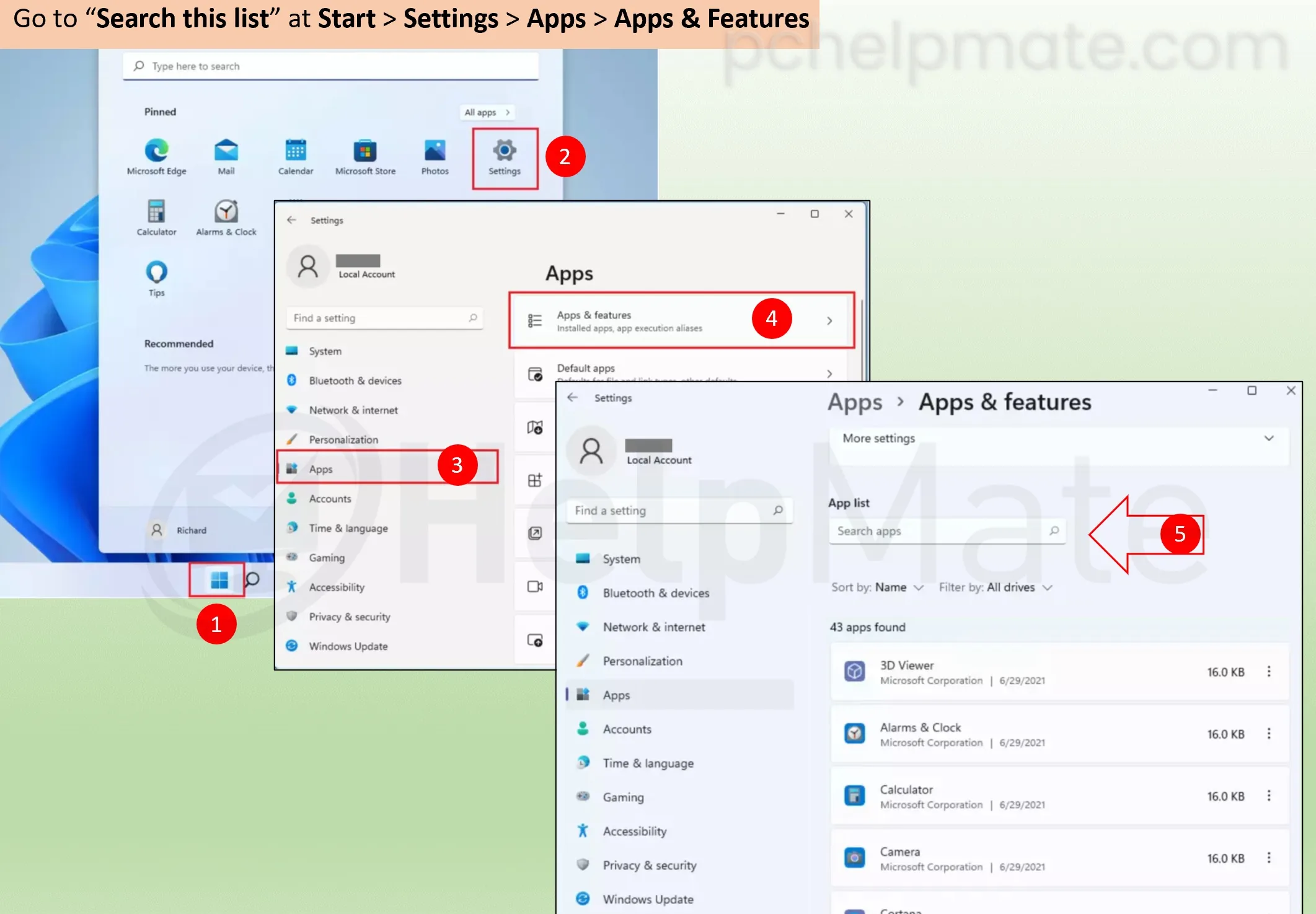
Go to Start > Settings > Apps > Apps & Features.
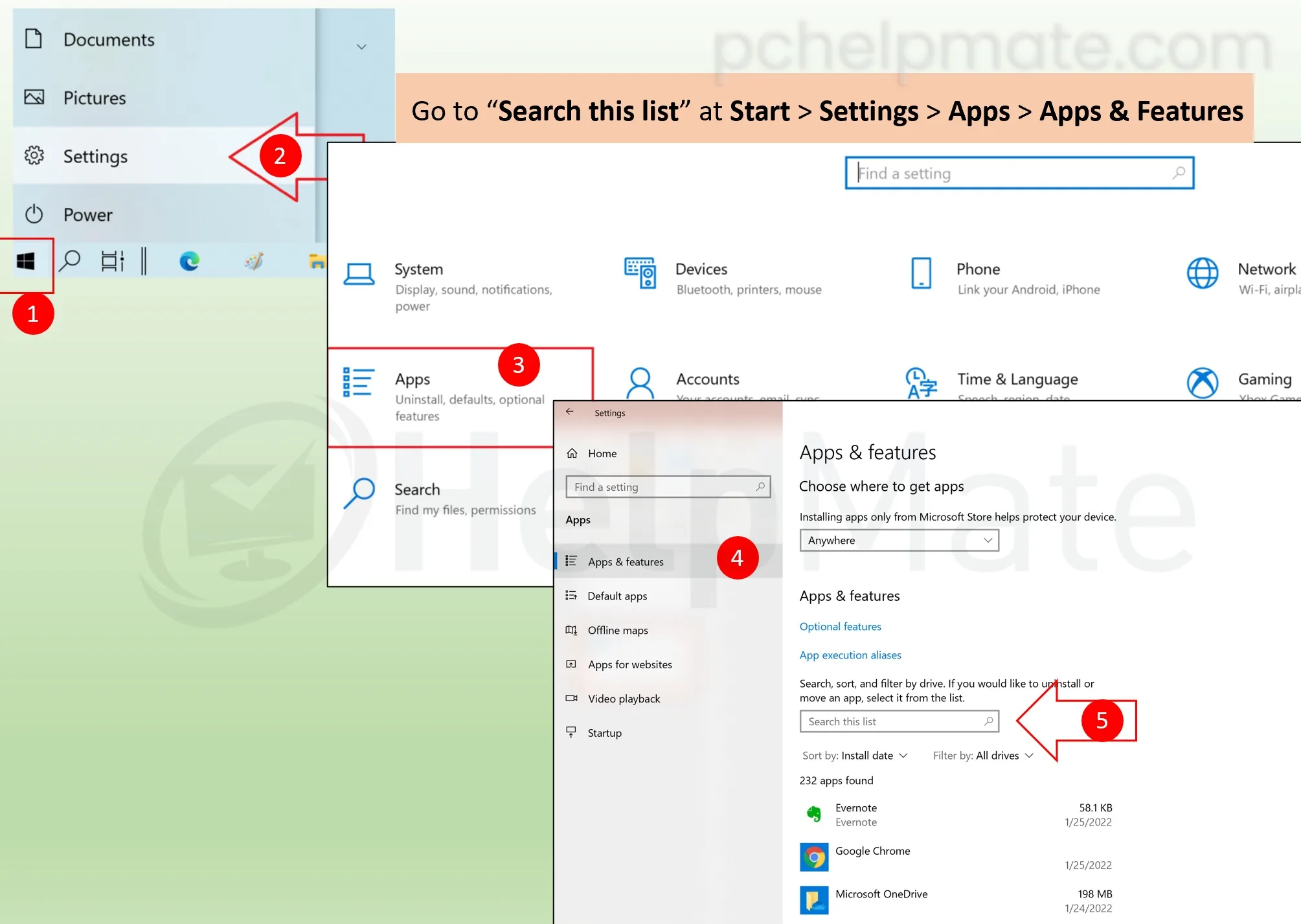
Find Microsoft 365 in the list and select it.
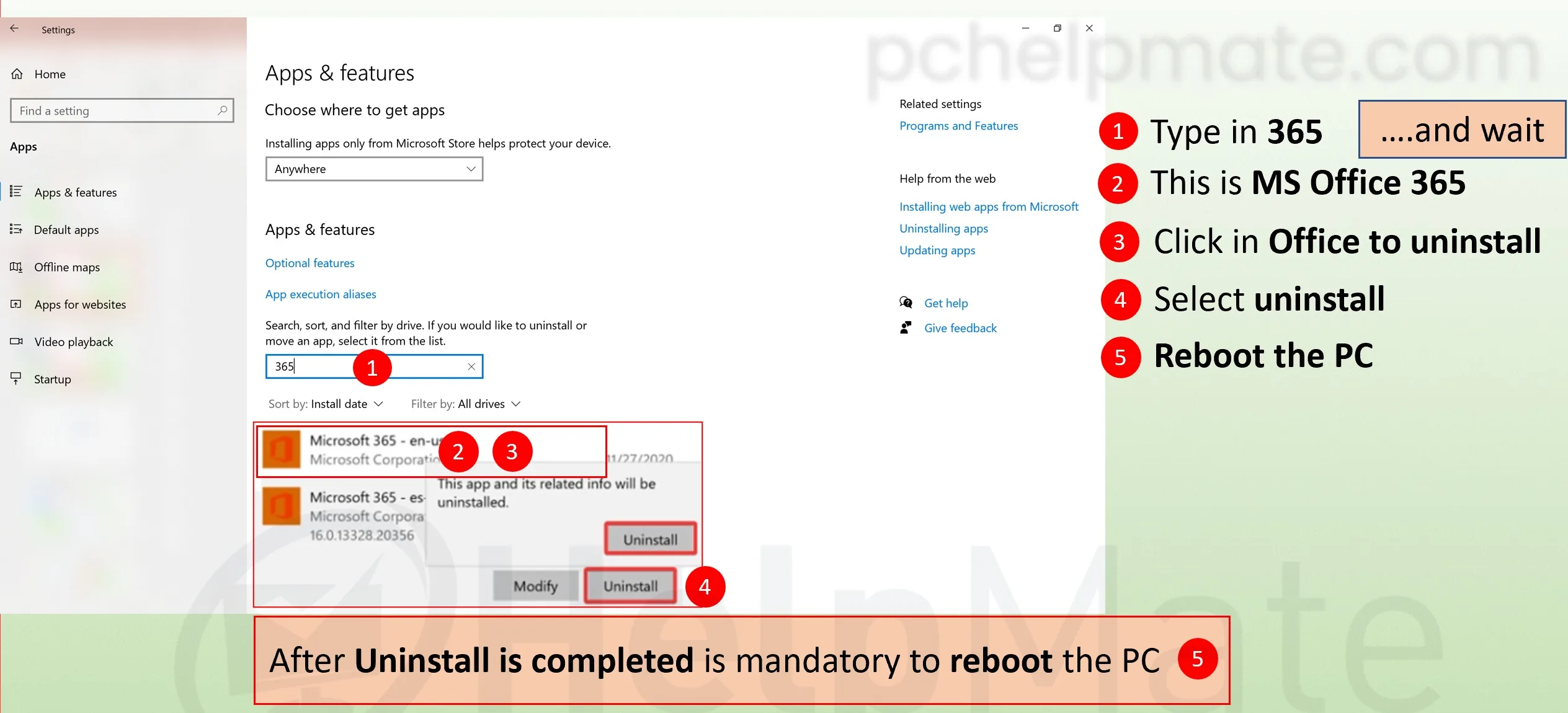
Choose Uninstall and confirm.
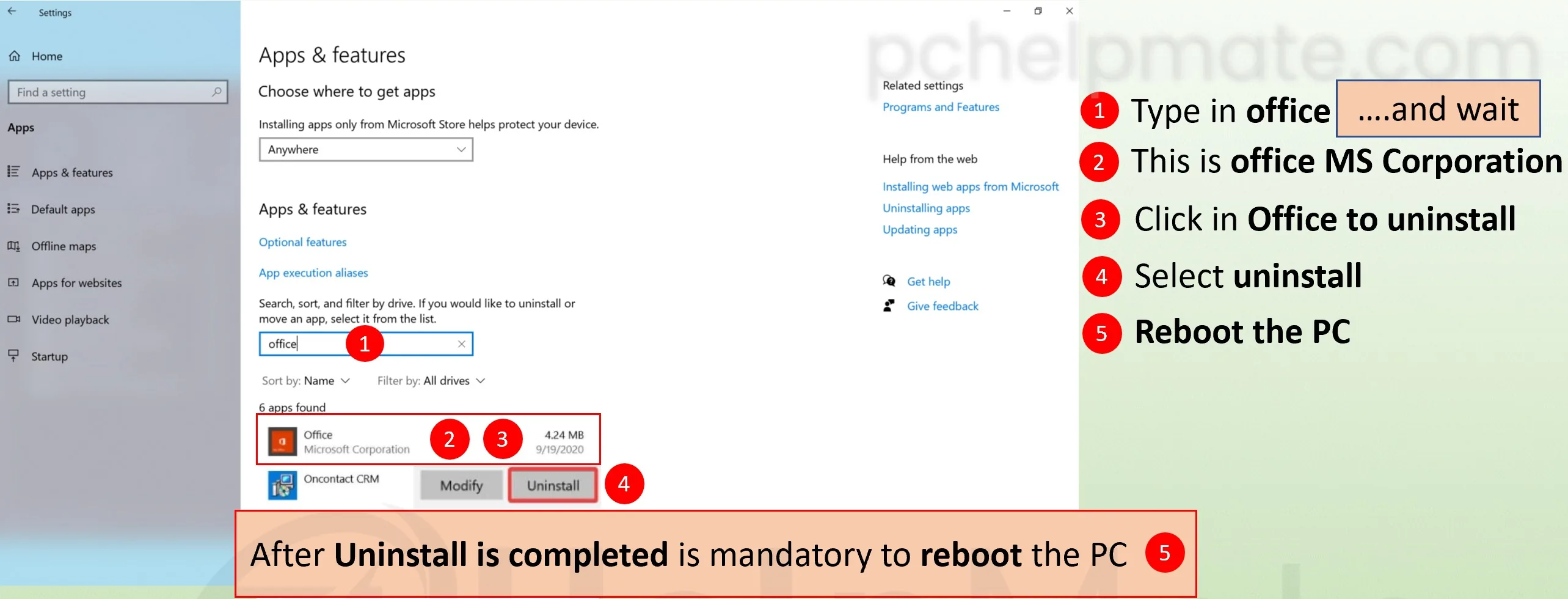
Go to Start > Settings > Apps > Apps & Features.
Find Microsoft 365 in the list and open its menu.
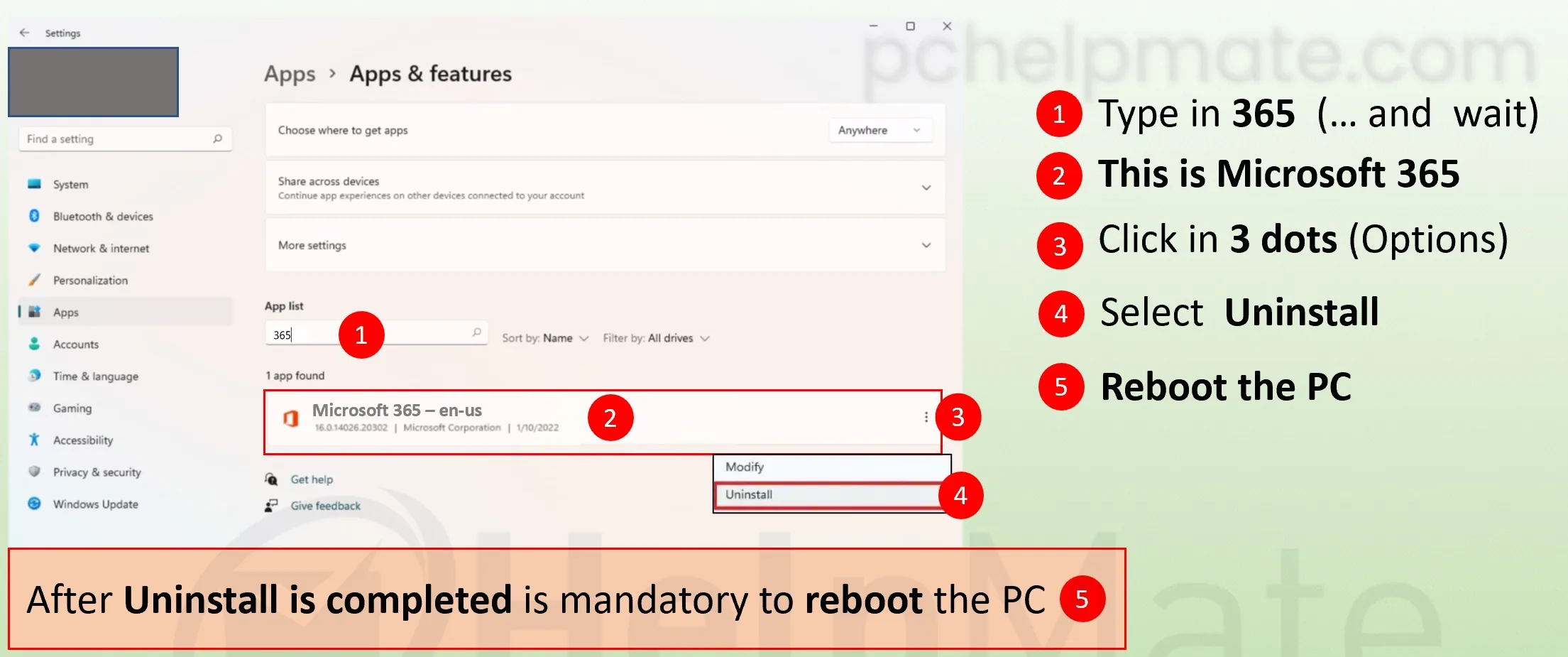
Choose Uninstall and confirm.